Self-Improvement & Mindset
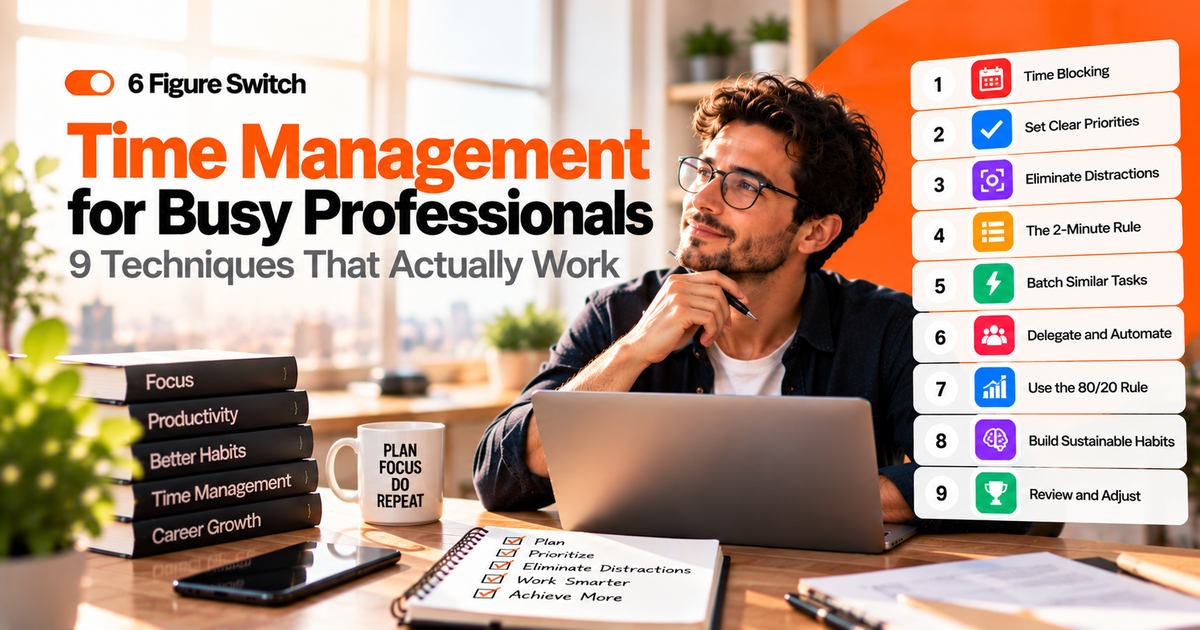
Time Management for Busy Professionals: 9 Techniques That Actually Work
Nine proven time management techniques, from time blocking to the weekly review, how to combine them into a simple system, a sample day and the pitfalls to avoid.
- 10 min read
- By 6FigureSwitch.com
- 9 techniques · sample day
More done.
You start the day with a plan. By 10 a.m. it’s gone: an urgent email, a meeting that ran over, a colleague with a quick question that wasn’t quick. At 6 p.m. you’ve been busy all day, yet the one task that mattered is still waiting. If that sounds familiar, the problem usually isn’t laziness or a lack of discipline. It’s the absence of a simple system that protects your most important work.
This guide covers nine time management techniques that busy professionals actually use, explained in plain language: what each one is, how to use it and when it works best. Then you’ll see how to combine them into a lightweight personal system, a sample day, a weekly planning routine and the pitfalls that undo good intentions.
01Why most time management attempts fail
- Too many priorities. When everything is important, nothing gets done first.
- No protected time. If focus time isn’t in your calendar, meetings and messages will fill it.
- Overly complex systems. Elaborate apps and color codes are fun for a week, then abandoned.
- Ignoring energy. Scheduling hard thinking at your lowest-energy hour sets you up to struggle.
- Reacting instead of choosing. Email and chat decide your day unless you decide first.
The techniques below solve these problems one by one. You don’t need all nine. Pick two or three that fit your work and build from there.
Time management isn’t about doing more things. It’s about doing the right things, on purpose.
02Start with a 3-day time audit
Before changing anything, find out where your time goes. For three typical workdays, write down what you do every 30 minutes, honestly. At the end, group the entries:
- Deep work (focused work that creates real value)
- Meetings and calls
- Email and messages
- Admin and small tasks
- Interruptions and context switching
- Breaks
Most people are surprised by two things: how little deep work they do, and how much time disappears into messages and switching between tasks. Those are the two areas the techniques target.
03The 9 techniques
01Time blocking
Scheduling specific blocks in your calendar for specific tasks, including focus work, email and breaks.
How to use it: every evening or morning, block 1 to 2 hours for your most important task, then fit meetings and smaller tasks around it. Treat focus blocks like meetings with yourself.Best for: people whose days get eaten by meetings and messages.02The Eisenhower Matrix
Sorting tasks by urgency and importance into four boxes: do now, schedule, delegate, delete.
How to use it: list your tasks, then ask of each one: is it important (moves my goals forward)? Is it urgent (has a real deadline)? Act on important tasks first and question the urgent-but-unimportant ones.Best for: anyone overwhelmed by a long to-do list.03The Pomodoro Technique
Developed by Francesco Cirillo: working in focused intervals, traditionally 25 minutes, followed by a short break.
How to use it: set a timer for 25 minutes, work on one task only, take a 5-minute break, and take a longer break after four rounds. Adjust the length to 45 or 50 minutes if you prefer longer focus.Best for: starting tasks you’ve been avoiding and resisting distractions.04Eat the frog
Popularized by Brian Tracy: doing your most important or difficult task first, before anything else.
How to use it: decide the night before what your “frog” is. Start it before opening email or chat.Best for: procrastinators and people with more energy in the morning.05The two-minute rule
From David Allen’s Getting Things Done method: if a task takes less than two minutes, do it immediately instead of adding it to a list.
How to use it: apply it during your email and admin blocks, not during deep work, so small tasks don’t interrupt focus.Best for: reducing the pile of small tasks that clutter your mind.06Task batching
Grouping similar tasks together and doing them in one block instead of scattered across the day.
How to use it: check email and messages at set times (for example, 11:00 and 16:00), make calls back to back, and handle admin in one weekly block.Best for: people who lose time switching between different types of work.07Energy management
Matching tasks to your energy levels, not only to the clock.
How to use it: notice when you think most clearly (often morning for many people) and protect that time for hard work. Put meetings and admin in lower-energy periods.Best for: anyone who feels busy but unproductive in the afternoon.08The weekly review
Also from Getting Things Done: a regular review of your tasks, calendar and goals to stay in control.
How to use it: every Friday or Sunday, spend 20 to 30 minutes reviewing what you did, clearing your inbox, updating your task list and choosing next week’s top three priorities.Best for: keeping all other techniques working over time.09Saying no (and "not now")
Protecting your time by declining or delaying requests that don’t align with your priorities.
How to use it: use simple scripts: “I can’t take this on this week, but I could look at it next Tuesday” or “If I take this, which of my current priorities should move?”Best for: people who are always helping others and never finishing their own work.04Build your own simple system
The best system is the one you’ll actually use. Here’s a combination that works for many busy professionals:
- Weekly review (technique 8) to choose your top three priorities for the week.
- Eisenhower Matrix (technique 2) to decide what goes on the list and what doesn’t.
- Time blocking (technique 1) to give each priority a protected slot in your calendar.
- Eat the frog (technique 4) to start each day with the most important block.
- Batching and the two-minute rule (techniques 5 and 6) to handle messages and small tasks efficiently.
Start with just the weekly review and one daily focus block. Add the rest once those feel natural.
Tip Keep all tasks in one place, whether that’s a notebook, a simple app or a document. Scattered lists are a major source of stress and forgotten work.
05A sample day using these techniques
| Time | Activity | Technique |
|---|---|---|
| 8:30–8:45 | Review today's plan, choose the frog | Eat the frog |
| 8:45–10:45 | Deep work on the most important task (phone away) | Time blocking + Pomodoro |
| 10:45–11:15 | Email and messages, two-minute tasks | Batching + two-minute rule |
| 11:15–12:30 | Meetings and calls | Batching |
| 13:30–14:30 | Second focus block for project work | Time blocking |
| 14:30–16:00 | Meetings, collaboration, lighter tasks | Energy management |
| 16:00–16:30 | Email and messages | Batching |
| 16:30–17:00 | Wrap up, plan tomorrow | Daily planning |
Adapt the times to your role and energy. The structure matters more than the exact hours: protected focus early, batched communication, and a short planning moment at the end.
06Plan your week in 20 minutes
Every Friday afternoon or Sunday evening:
- Look back: what did you complete? What slipped, and why?
- Clear the decks: process notes, emails and loose tasks into your single list.
- Choose three priorities for the coming week, linked to your bigger goals.
- Block time in your calendar for each priority before the week fills up.
- Spot the crunch points: heavy meeting days, deadlines, travel. Plan lighter tasks for those days.
This short routine is the single most effective habit for people who feel constantly behind.
Protect your time from interruptions
Even the best plan fails if every notification can break it. A few simple boundaries protect your focus blocks:
- Turn off non-essential notifications during focus time, on both phone and computer.
- Use a status message such as “Focusing until 11:00, will reply after” in your chat tool.
- Keep the phone out of reach or in another room during deep work.
- Agree on response expectations with your team, so a two-hour reply time is normal for non-urgent messages.
- Have a parking list. When an unrelated thought pops up, write it down and get back to the task.
Time management when you're also changing careers
If you’re learning new skills or job hunting on top of a full-time job, time management becomes even more important. A few adjustments help:
- Treat your career-change work as a recurring calendar block, like a meeting you don’t cancel.
- Use your highest-energy hour of the day for learning, even if it’s only 45 minutes.
- Batch job-search tasks: applications on two evenings, networking messages on one.
- Cut one low-value activity, such as some evening screen time, to free up three to five hours a week.
- Protect at least one day a week with no work at all, to avoid burnout.
Polite scripts for saying no
Protecting your time often comes down to a few words. These scripts help you decline or delay without damaging relationships:
- To a colleague: “I’d like to help, but I’m focused on [priority] until Thursday. Could we look at it then, or is there someone else who could take it sooner?”
- To your manager: “I can take this on. To do it well, which of my current priorities should I move?”
- To a meeting invite: “Could you share the agenda? If my input is only needed on one point, I can send it in writing instead.”
- To a recurring interruption: “Let’s collect these questions and go through them together at 4 p.m. each day.”
- To an extra commitment: “Thanks for thinking of me. I can’t commit to that right now, but please ask me again next quarter.”
Saying no to low-value requests is how you say yes to the work that matters most, for your employer and for your career.
07Pitfalls to avoid
Planning too much
Filling every minute leaves no room for the unexpected. Leave 20 to 30 percent of your day unscheduled.
Switching tools constantly
New apps feel productive but cost time. Pick a simple tool and stick with it for at least a month.
Confusing busy with productive
Answering messages all day feels productive. Judge your day by progress on priorities, not by activity.
Skipping breaks
Working without breaks reduces focus over time. Short breaks help you sustain attention.
08Frequently asked questions
Which time management technique is the best?
There's no single best technique. Time blocking and a weekly review work for most people as a foundation; add others based on your specific challenges.
How do I manage time when my job is full of meetings?
Protect at least one focus block per day in your calendar before others book it, batch meetings on certain days if possible, and question meetings without a clear purpose.
What if my manager keeps changing priorities?
Share your weekly priorities with your manager and ask them to confirm. When new requests come in, ask which current priority should move.
Are productivity apps necessary?
No. A calendar and one simple task list are enough for most people. Apps can help, but only if they make your system simpler, not more complicated.
How do I stop procrastinating on big tasks?
Break them into a first step that takes less than 25 minutes, schedule it as your first task of the day, and use a Pomodoro timer to get started. Momentum usually follows.
How long before these techniques make a difference?
Many people notice a difference within one or two weeks of consistently blocking focus time and doing a weekly review.
The bottom line
You don’t need more hours. You need a few simple techniques that make sure your best hours go to your most important work. Start with a time audit, then add a weekly review and one daily focus block. Layer in prioritization, batching and energy management as you go, and say no to what doesn’t fit.
If one of your priorities is moving into a better-paid, flexible career, The 6-Figure Career Switch gives you the step-by-step plan for your focused time.
Keep reading
More from the Journal.
One remote-career playbook. Every week.
Free, practical, no spam. Unsubscribe anytime.