Resume, LinkedIn & Interviews
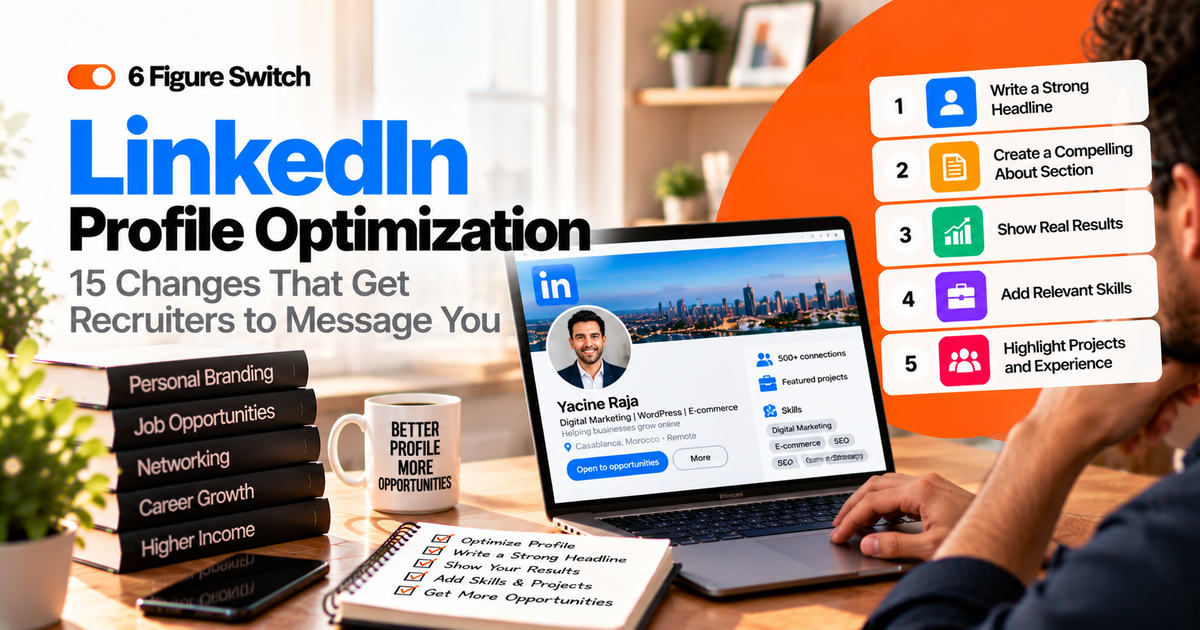
LinkedIn Profile Optimization: 15 Changes That Get Recruiters to Message You
Fifteen specific LinkedIn changes, from headline to activity, that help recruiters find you and want to message you, plus headline examples and an About section template.
- 10 min read
- By 6FigureSwitch.com
- 15 changes · templates
Get hired.
Recruiters use LinkedIn every day to search for candidates. When your profile is set up well, opportunities can come to you: messages from recruiters, invitations to interview, introductions from people in your target field. When it isn’t, you’re invisible, no matter how good your experience is.
The good news is that most profiles fail for the same fixable reasons: a vague headline, an empty About section, duties instead of results, and keywords that don’t match what recruiters search for. This guide walks through 15 specific changes, grouped into first impression, story, proof and activity, plus headline examples and a simple weekly routine.
01How recruiters actually find people
Recruiters typically search LinkedIn using job titles, skills, locations and keywords, then filter the results. They scan each profile in seconds before deciding whether to open it. That means two things matter most:
- Being found: your profile must contain the job titles and skills recruiters search for.
- Being chosen: your photo, headline and first lines must make someone want to click and read more.
Every change below improves one or both.
02First impression (changes 1–4)
01Use a clear, professional photo
Profiles with a photo look more trustworthy and get more attention.
How: face the camera, good natural light, simple background, your face filling most of the frame. Dress like people in your target role.02Add a relevant banner
The banner is free space most people waste with the default background.
How: use a simple image related to your field, or a banner with your target role and one key strength.03Write a headline for your target role
The headline appears in search results and next to every comment you make. It’s the most important line on your profile.
How: use the formula Target role | 2–3 key skills | Your edge, using words recruiters search for.Example: “Project Manager | Agile & Stakeholder Management | 8 Years Leading Cross-Team Operations”04Customize your URL
A clean URL looks professional on your CV and email signature.
How: edit your public profile URL to your name, such as linkedin.com/in/firstname-lastname.03Your story (changes 5–8)
05Write an About section that sounds human
This is where recruiters understand who you are and why you’re a fit. Most people leave it empty or copy their CV.
How: write four short paragraphs in the first person: what you do and for whom, your strongest proof, what makes you different, and what you’re looking for. End with how to contact you.06Front-load your first two lines
Only the first lines of your About section show before “see more”.
How: open with your target role and your biggest result, not with “I am a passionate professional…”Example: “I help remote software teams deliver projects on time. In my last role I led a system rollout for 200 users, on schedule and under budget.”07Set your career interests and Open to Work
This tells recruiters exactly which roles and locations to consider you for.
How: add your target job titles, remote or hybrid preferences and locations. You can choose to show it only to recruiters.08Tell your career change story
If you’re switching fields, explain the logic so recruiters don’t have to guess.
How: add one or two sentences to your About section: what you’ve done, what you’re moving toward and what you’ve done to prepare.04Proof (changes 9–12)
09Rewrite experience as results
Duties describe what you were supposed to do. Results show what you achieved.
How: for each role, write three to five bullet points that start with a verb and end with a result, ideally with a number.Example: “Responsible for reporting” becomes “Built a weekly dashboard that cut reporting time from 4 hours to 30 minutes.”10Match the keywords of your target role
LinkedIn search relies heavily on keywords. If your words don’t match, you won’t appear.
How: collect ten job posts for your target role, list the repeated skills and tools, and use them naturally in your headline, About, experience and skills.11Add the right skills and get endorsements
Skills help you appear in searches and signal what you’re good at.
How: list the most relevant skills from job posts, pin your top ones, and ask colleagues to endorse the skills they’ve seen you use.12Use the Featured section and recommendations
Featured items and recommendations are proof that recruiters can see instantly.
How: pin a portfolio piece, case study or post that shows your expertise, and request two or three specific recommendations from managers or clients.05Activity (changes 13–15)
13Post once a week about your field
Regular posts show expertise and keep you visible to your network and recruiters.
How: share one lesson, project or insight per week in five to eight short lines. You don’t need to go viral; consistency matters more.14Comment thoughtfully on industry posts
Comments put your name and headline in front of people in your target field, often more than your own posts.
How: add a useful perspective or question to two or three posts a week from people in your target industry.15Grow your network with intention
Recruiters often see second-degree connections more easily, so a relevant network increases your reach.
How: connect with people in your target role, recruiters in your field and former colleagues, with a short personal note when possible.An About section template
Adapt this four-paragraph structure. Keep each paragraph to two or three sentences:
“I help [type of company or team] [achieve result] through [your main skills]. Over the last [X] years I’ve [biggest achievement with a number].What makes me different is [your edge, such as industry knowledge or a rare combination of skills]. For example, [short proof].Recently I’ve [learning, certification or project related to your target role], and I’m now focused on [target role] opportunities in [industry / remote].Feel free to reach out at [email] or send me a message here.”Read it out loud. If it sounds like something you’d say to a person at a professional event, it’s right.
06Headline examples by situation
| Situation | Headline example |
|---|---|
| Same field, next level | Senior Data Analyst | SQL, Power BI, Python | Turning Sales Data Into Revenue Decisions |
| Career changer | Operations Professional → Project Manager | CAPM | Delivering Multi-Team Projects On Time |
| Remote job seeker | Customer Success Manager | SaaS Onboarding & Retention | Open to Remote Roles |
| Freelancer | Copywriter for Fintech Brands | Landing Pages & Email Sequences That Convert |
| Recent learner | Aspiring UX Designer | Figma, User Research | Former Teacher Who Designs for Real Users |
Tip Avoid vague headlines like “Seeking new opportunities” or “Passionate professional”. They don’t match any search and don’t tell anyone what you do.
Common LinkedIn mistakes to avoid
A headline that only shows your current job
“Sales Associate at X” hides where you’re going. Use your target role if you’re switching.
An About section written in the third person
It reads like a press release. First person sounds human and approachable.
Copying your CV word for word
LinkedIn allows a warmer tone and more context. Use it to tell your story.
Connecting without a note
A short personalized note gets far more acceptances and starts real conversations.
Disappearing after you update it
A perfect profile with no activity is easy to overlook. Small weekly activity keeps you visible.
Before and after: one profile, transformed
Here’s an illustrative example of what these changes look like together, for an office manager moving into project management.
Before. Headline: “Office Manager at Smith & Co.” About: empty. Experience: “Responsible for office operations, supplier management and scheduling.” Skills: Microsoft Office, Customer Service. Activity: none.After. Headline: “Project Coordinator | Planning, Vendor Management, Scheduling | 7 Years Running Office Operations for 60+ People”. About: four short paragraphs about delivering an office move for 60 people on time, coordinating six suppliers, recent CAPM certification and the target of remote project coordinator roles. Experience: “Planned and delivered an office relocation for 60 staff in 8 weeks with zero downtime”, “Negotiated supplier contracts that cut annual costs by 12%”. Skills: Project Planning, Stakeholder Communication, Asana, Budgeting. Featured: a one-page case study of the office move. Activity: one post a week about project lessons.Same person, same experience. The difference is that the second profile appears in project coordinator searches and gives a recruiter immediate reasons to reach out.
10 post ideas when you don't know what to write
- A lesson you learned from a recent project or mistake.
- A tool or shortcut that saves you time, and how you use it.
- A short summary of a course, book or article in your field.
- Before-and-after of something you improved at work.
- A question you’re exploring, asking others for their view.
- Three tips for someone starting in your field.
- What you learned from a conversation with someone in your target role.
- A myth in your industry and why it’s wrong.
- A small milestone in your career change: a certificate, a first project, a first client.
- A behind-the-scenes look at how you approach a typical task.
Keep posts short, specific and useful. One clear idea per post is enough.
07A 30-minute weekly LinkedIn routine
- 10 minutes: write and publish one short post about something you learned or worked on.
- 10 minutes: leave two or three thoughtful comments on posts in your target field.
- 5 minutes: send three personalized connection requests to people in your target role or industry.
- 5 minutes: check messages and reply, and update your profile with any new result or project.
Thirty minutes a week, repeated for a few months, can turn a quiet profile into a steady source of conversations and opportunities.
How to reply when a recruiter messages you
When recruiters start reaching out, reply quickly and professionally, even if the role isn’t right. A simple structure:
“Hi [Name], thanks for reaching out. The [role] sounds interesting. I’m currently focused on [target role / remote / industry]. Could you share the salary range and whether the role is remote? Happy to set up a call if it’s a fit.”If it’s not a fit, say so politely and tell them what you are looking for. Recruiters remember helpful candidates and often come back with better matches.
08Frequently asked questions
Should I use the Open to Work banner?
It depends on your situation. The public banner can increase visibility but some people prefer privacy. You can set Open to Work to be visible only to recruiters.
How long should my About section be?
Aim for about 150 to 300 words. Long enough to tell your story and proof, short enough to read in a minute.
Do I need LinkedIn Premium?
Not to get results. A well-optimized free profile and consistent activity matter much more. Premium can help with extra insights and messaging, but it's optional.
Should I add every job I've ever had?
Focus on the last 10 to 15 years and on roles relevant to your target. You can summarize older or unrelated roles briefly so there are no unexplained gaps.
Can my current employer see that I'm job hunting?
LinkedIn lets you share Open to Work with recruiters only, and you can turn off notifications to your network when you update your profile. Updating your profile on its own is common and rarely raises questions.
How often should I update my profile?
Review it every month during a job search and every three months otherwise. Add new results, skills and projects as they happen.
The bottom line
Your LinkedIn profile works for you around the clock, if you set it up well. Use a headline built for your target role, write an About section that sounds human, turn duties into results, match the keywords recruiters search for and stay active with a small weekly routine. Make these 15 changes and you give recruiters every reason to message you.
For CV and outreach templates and a full job-search plan, get The 6-Figure Career Switch.
Keep reading
More from the Journal.
One remote-career playbook. Every week.
Free, practical, no spam. Unsubscribe anytime.